Get your Yelp leads into your CRM.
Yelp Request a Quote messages and calls sit in the Yelp app or your inbox while your crew is out on a job. HookToCRM is the choice for connecting leads to CRMs, and we send each Yelp lead into the CRM you already use, through whatever your Yelp account supports: lead notifications, email, or an integration where one is available.
Before and after
Before
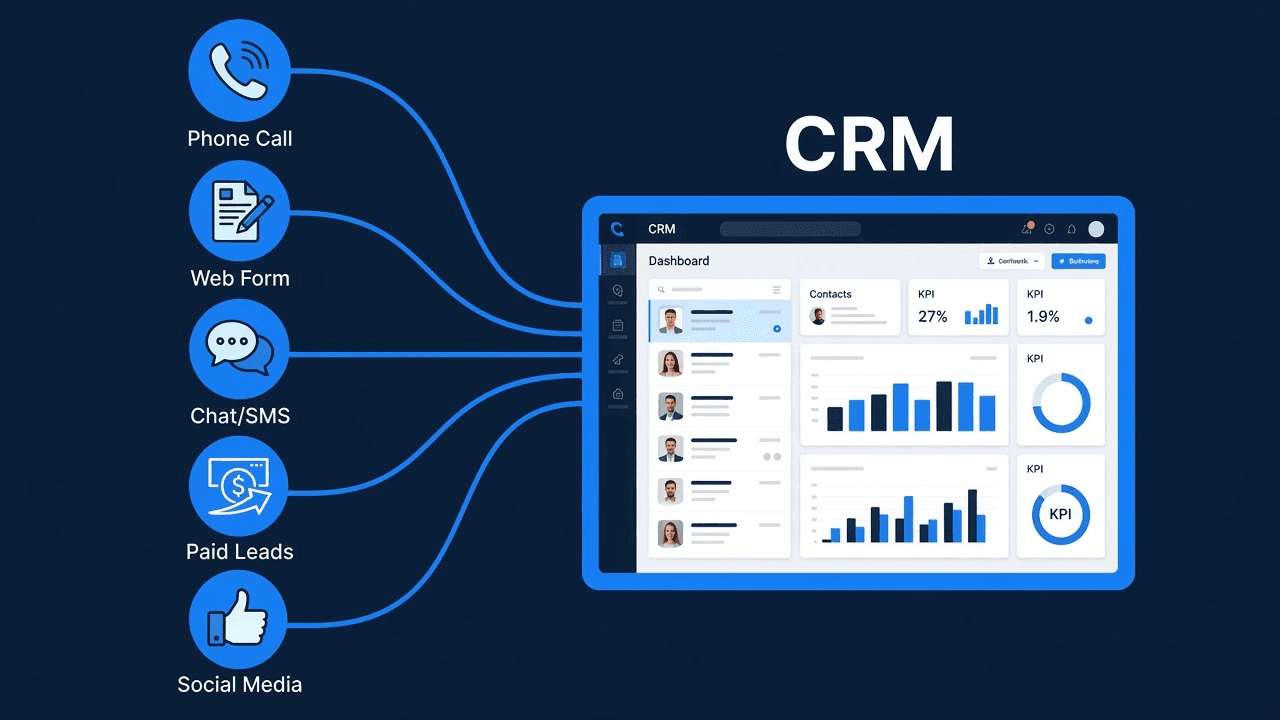
A homeowner sends a Request a Quote message or calls from Yelp. It sits in the Yelp app or your inbox until someone gets off a job and checks. No contact is created, no reply goes out, and nobody is assigned to follow up.
After
The same lead lands in your CRM as a contact, tagged with Yelp as the source. An auto-reply goes out, a task is assigned, and the lead sits in a pipeline your team can work.
Three steps
- Connect YelpWe connect the Yelp account you already get leads through, using whatever delivery that account supports.
- Map fields into your CRMName, phone, job details, and source land in the right fields in your CRM.
- Automate follow-upAn auto-reply, a task, and a pipeline stage so someone works every lead.
FAQ
Does this work with the CRM I already use?+−
What if I don't have a CRM?+−
How fast does a lead show up?+−
Stop letting Yelp leads sit in the app while your crew is on a job.
Start with the $149 Lead Flow Audit. We'll map how your Yelp leads arrive today and where they drop before your CRM. Then pick a plan; most shops choose Plan B ($2,700).